
GPS Attendance for Construction Sites: How Photo and Location Attendance Works
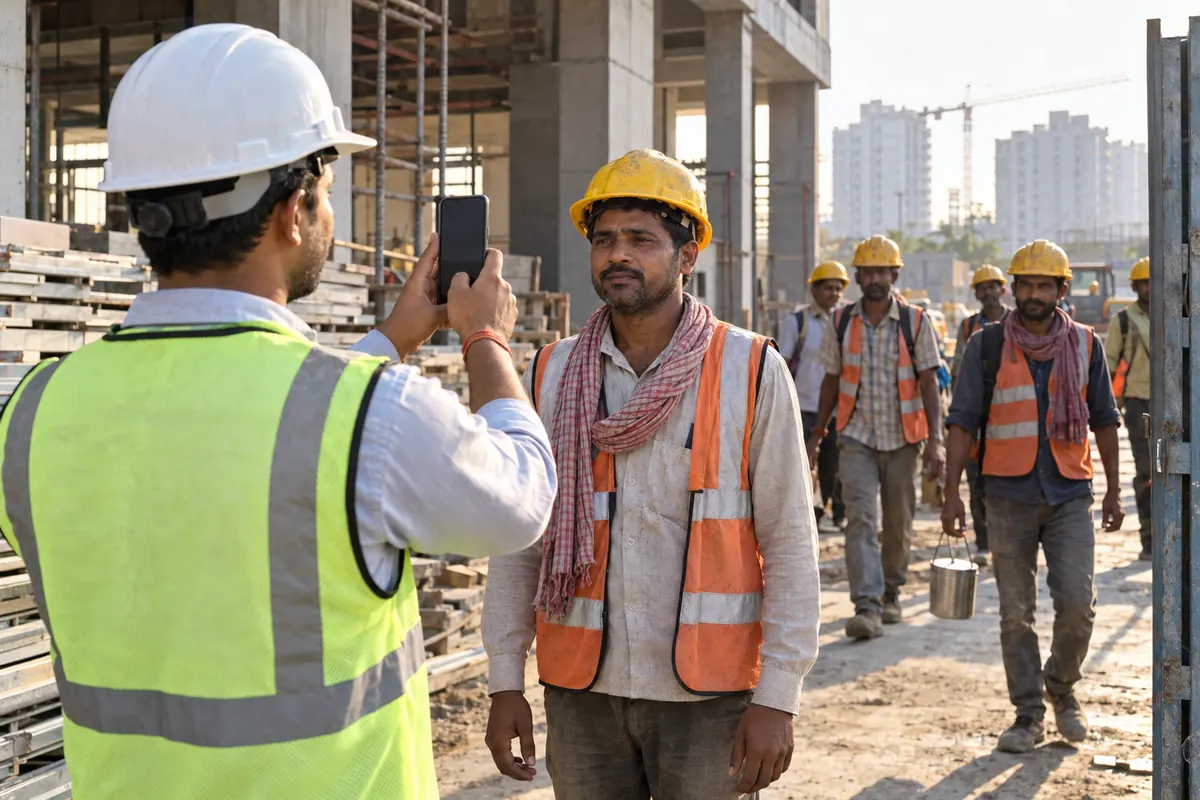
Proxy attendance is an old problem on Indian construction sites. A worker sends a friend to mark his hajiri. A contractor’s munshi marks names from memory, or from a paper sheet that was filled the night before. At the end of the month, the wage bill is higher than the work done on site. Nobody can prove anything, because the only record is a paper attendance sheet.
Photo and location attendance, done through a mobile app, is one way to reduce this. This article explains how it works, what it stops, what it honestly cannot stop, and how you can roll it out on a site in one week. It also covers the questions workers usually ask, such as privacy and phone problems.
How photo and location attendance works, step by step
The idea is simple. When a worker marks attendance, the app captures three things at the same moment: the time, a photo, and the phone’s GPS location. Here is the flow in most apps, including ours.
- The supervisor, mistri, or the worker himself opens the app on a phone (Android or iPhone) at the site.
- He selects the project and the labour gang or contractor.
- He marks the worker present, half-day, or absent.
- The app takes a photo of the worker at that moment, not from the gallery.
- The app records the GPS coordinates of the phone at that time.
- The entry is saved with a time stamp and cannot be edited later without leaving a trace.
At the end of the day, you can open a report and see every attendance entry, with the photo and the location. If a worker was marked present two kilometres away from the site, the location tells you. If the same face appears for three different names, the photos tell you.
If you currently use Excel sheets, you can keep them as a backup while you shift. Our free labour attendance sheet format in Excel is still useful for records and audits.
What it stops
Photo and location attendance stops most forms of proxy attendance.
- Friend marking attendance: The photo shows who actually stood in front of the camera. A friend cannot mark for a missing worker.
- Paper hajiri filled from home: A paper sheet can be filled anywhere. A location-tagged entry must be made where the worker is.
- Later adjustments: In a proper app, the time stamp is fixed. The munshi cannot quietly add five names at 6 pm for a site he visited at 9 am.
- Ghost workers on contractor bills: When you settle with a labour contractor, you can match the bill against photo records. Names that never appeared in a photo get questioned.
- “He was here” arguments: Disputes about who came on which day end quickly when you open the record.
Over a month, this alone can bring your labour cost closer to the actual work done. For a fuller picture of labour cost, see our page on labour management, which covers contractor settlements as well.
What it cannot stop, honestly
Stop juggling WhatsApp groups, Excel sheets, and paper registers
Trackovo runs every part of your construction site in one app — materials, attendance, finance, vendor payments. 14-day free trial. No card needed.
Start your free trial →No system is perfect, and it is better to be clear about the limits.
- A worker can still come late and stay only briefly. Attendance proves presence at a moment. It does not measure effort. Daily progress photos and task records cover that part better.
- GPS has a margin of error. In dense areas or bad weather, a reading may be off by some metres. Do not reject an entry because it is 50 metres outside your boundary. Look at the pattern, not one entry.
- Network problems: If the site has poor network, some apps struggle. Check with any vendor, including us, how they handle this before you buy. Ask specifically what happens when the phone has no signal.
- Someone can bring a phone to site and mark absent workers while they stand nearby: Photos reduce this, because each worker must appear before the camera. But a determined group can still try. Frequent spot checks by your engineer remain necessary.
- It does not fix wages or payment delays: Attendance is one part. Wage calculation, advance deduction, and settlement are separate steps.
Treat photo and location attendance as a strong check, not a full supervision system. It works best when combined with daily progress reports. Our page on DPR software explains that side.
Rolling it out on site in one week (a day by day plan)
You do not need a long training programme. Here is a plan that has worked for sites of 30 to 100 workers.
Day 1: Decide the rules
Fix three things in writing: who marks attendance (worker himself, mistri, or supervisor), the marking window (say 8:30 to 9:30 am), and whether photos are taken individually or in small groups. Keep it simple. Also decide who approves corrections.
Day 2: Set up the app and projects
Install the app on one or two phones per site. Create the project, add labour contractors and workers, and set the site location. Do a test marking for five workers so you know the flow works.
Day 3: Brief the mistri and supervisors
Show them the marking steps. Let them do it themselves while you watch. The person who marks must be comfortable, or they will go back to paper within a week.
Day 4: Announce to workers
Hold a ten-minute meeting. Explain that attendance will now carry a photo and location, and that this protects honest workers, because payment will be based on real records. Answer questions calmly. Do not make it sound like an accusation.
Day 5: Run parallel with paper
Mark on the app and on paper for one or two days. Compare the two at the end of the day. This catches setup mistakes, like a wrong location pin, and builds trust in the app data.
Day 6: Fix problems
Correct whatever the comparison showed. Usually it is one or two workers not photographed properly, or the marking window being too short.
Day 7: Stop the paper hajiri
Keep one printed copy for the notice board if workers want to see the list, but the app record becomes the basis for wages from this day.
If you want a side-by-side view of attendance apps before choosing, our comparison of the best labour attendance apps for construction in India 2026 may help.
Worker worries and fair answers
Workers may raise concerns. These deserve honest answers, not dismissal.
- “Why is my photo being taken?” Explain that the photo proves they were present, so nobody can cut their wage by claiming they were absent. It works in their favour.
- “Is someone tracking me all day?” No. The location is recorded only at the moment of marking attendance, not continuously. Say this clearly and make sure it is true of the app you choose.
- “I do not have a smartphone.” In the common setup, the supervisor or mistri marks attendance from his phone, so workers do not need their own phones. If you want workers to self-mark, that is a separate choice.
- “What if the network is down at marking time?” Ask your vendor this question directly before purchase, and ask for a demo on a weak network. Different apps handle it differently, and you should not rely on a promise alone.
- “Who can see my photo?” Only authorised users of your company account. Reassure workers that photos are not shared anywhere else.
If you are weighing a simple hajiri app against a full site app, our page on hajiri apps for construction labour covers that choice.
How it works in Trackovo
Trackovo is an Android, iPhone and web app made in India for builders, contractors, site engineers, and interior firms. Labour attendance with photo and site location is one part of it.
When a supervisor marks hajiri, the app captures the photo and the GPS location along with the time. Records sit with the project, so you can see attendance site by site. From the same app you can handle labour wages and contractor settlement, so the attendance record connects directly to the wage bill instead of sitting in a separate register. That is the main advantage of doing attendance inside a site-management app rather than in a standalone tool.
Trackovo does not use biometric machines or face recognition, and we do not claim to. If your site needs fingerprint devices, Trackovo is not the right fit for that, and it is fair to say so. What it does is simpler: a photo, a location, and a time, recorded in a way that cannot be quietly changed.
You can see the details, including wage calculation and settlement, on the attendance and salary page. Every plan includes every module, so attendance is not sold separately. You can start with a 14-day free trial without a card, or see pricing on the plans page. If you prefer to see it on your own site data first, book a demo or ask for a WhatsApp demo.
You may also be comparing Trackovo with other Indian construction apps such as Powerplay or OnSite. Both are construction management apps used by Indian contractors. For a fair comparison, look at what each one actually does with attendance photos and location, and check their websites for current prices and plan limits. Our own comparisons are here: Trackovo vs Powerplay and Trackovo vs OnSite. A wider view of the category is in our guide to the best construction management software in India 2026.
Common questions
Do workers need their own smartphones?
No. In the usual setup, the supervisor or mistri marks all workers from one phone at the site. Each worker appears in a photo at the time of marking. If you prefer self-marking by workers, that needs smartphones for each person and is usually only practical for skilled staff and permanent employees.
How accurate is the GPS location?
It is usually accurate enough to tell whether the person is on your site or a few kilometres away, which is the main purpose. It is not accurate to the metre, and readings can be slightly off near tall buildings or in bad weather. Judge attendance by whether the location is near the site, not by exact metres.
What happens if there is no network on site?
This depends on the app, and you should test it on your site before paying for anything. Ask any vendor, including us, to demo the app at a spot with weak signal. Do not accept a verbal assurance. This is one of the most common failure points for attendance apps on remote sites.
Can photo attendance be used for wage payment and contractor settlement?
Yes, and that is where it pays off. When attendance carries a photo and location, the monthly wage sheet and the labour contractor’s bill can be checked against a record that is hard to dispute. In Trackovo, attendance feeds into wages and settlement in the same app, so you do not retype names into Excel. If you still prefer spreadsheets for now, our construction Excel templates are free to use.
Ready to stop the WhatsApp chaos? Try Trackovo free for 14 days.
Start free trial →