
Cement Register Format for Construction Sites
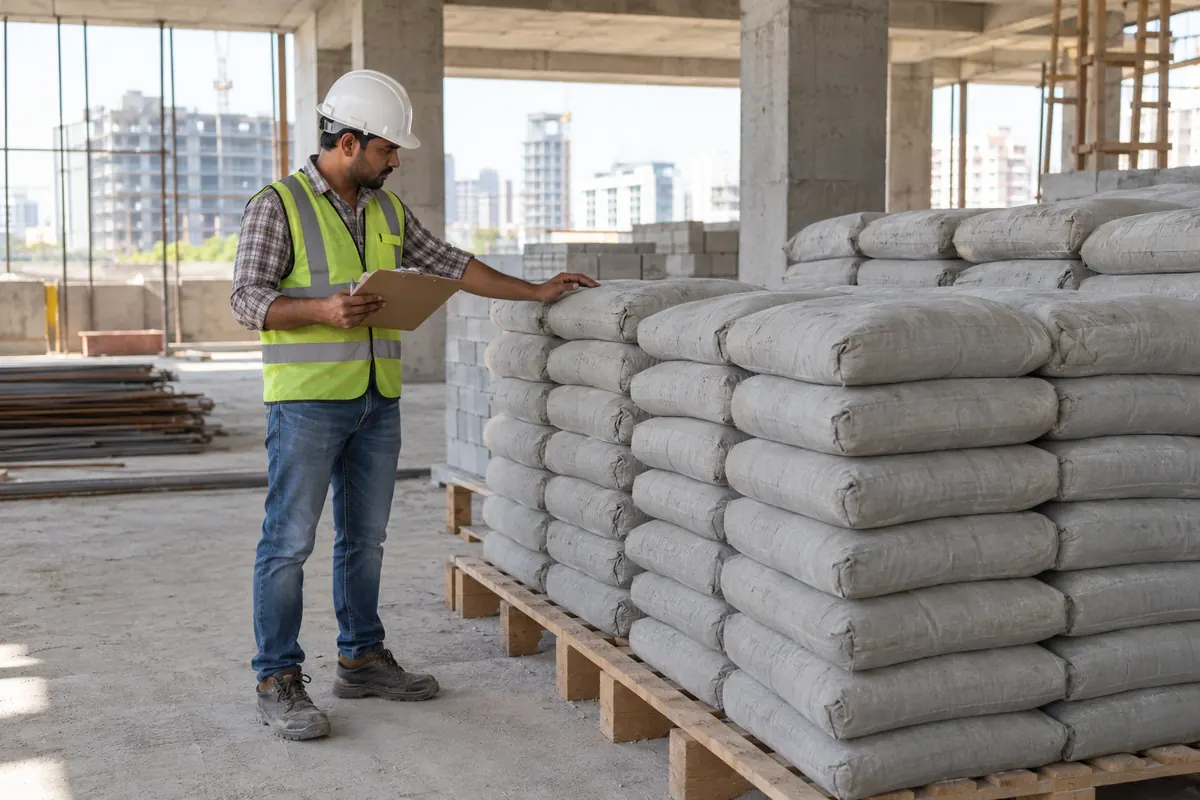
Cement is one of the easiest materials to lose on a construction site. Bags may be issued without an entry, damaged by moisture, shifted to another floor, or used for work that was not recorded. A cement register gives the store keeper, munshi and site engineer one clear record of every bag received, issued and available.
The register can be maintained in a bound book, an Excel sheet or a site-management app. The method matters less than daily discipline. Every receipt and issue should be entered when it happens. If entries are postponed until evening, challans get misplaced and small issues are forgotten.
What a cement register records
A cement register is a running stock record. It shows the opening balance, bags received, bags issued and closing balance for each day. It should also show where the cement was used. Writing only “site work” is not enough. Mention the activity, such as footing concrete, column casting, block masonry, internal plaster or floor screed.
The register helps answer practical questions:
- How many bags arrived against the supplier challan?
- How many bags were issued to each activity?
- What should be available in the store?
- Does the physical count match the recorded balance?
- Was cement consumption reasonable for the completed quantity?
- Who checked the receipt or issue?
Keep cement grade and brand separate where required. Do not combine PPC, OPC 43 and OPC 53 in one balance. If different brands are being used, separate lines or separate registers make checking easier. The entry should follow the unit used at site, normally full bags. Record loose or partly used bags separately instead of treating them as full stock.
Cement register format
The following format works for a small or medium construction site. One row can be used for each receipt or issue. If cement is received and issued on the same date, use separate rows so that each movement remains clear.
| Date | Challan no. | Supplier | Bags received | Issued to activity | Bags issued | Balance | Checked by |
|---|---|---|---|---|---|---|---|
| 05-11-2026 | CH-184 | Supplier name | 200 | – | 0 | 200 | Site engineer |
| 05-11-2026 | – | – | 0 | Footing F1 to F4 | 32 | 168 | Store keeper |
| 06-11-2026 | – | – | 0 | Ground-floor masonry | 18 | 150 | Site engineer |
Use the supplier challan number for every receipt. Count bags before signing the challan. Note torn, wet or short-delivered bags immediately. A delivery of 200 bags should not be entered as 200 merely because the challan says so. The register must follow the quantity actually accepted at site.
For issues, the mistri or supervisor should state the work location and activity. The store keeper can then record the issue and take a signature or approval. Add optional columns for cement grade, floor, contractor, return quantity and remarks if the project needs them. Avoid adding so many columns that the store keeper stops filling the register.
Theoretical vs actual consumption check
Stop juggling WhatsApp groups, Excel sheets, and paper registers
Trackovo runs every part of your construction site in one app — materials, attendance, finance, vendor payments. 14-day free trial. No card needed.
Start your free trial →A stock balance shows where bags moved. It does not prove that consumption was correct. For that, compare theoretical consumption with actual consumption.
Theoretical consumption is the cement expected for the measured work based on the approved mix, design, specification or standard site calculation. Actual consumption is the number of bags issued after adjusting for unused cement returned to the store.
For example, suppose 70 bags were issued for a concrete pour and 4 unopened bags came back. Actual consumption is 66 bags. Compare this with the expected cement for the measured concrete quantity. A concrete calculator can help with the quantity check, but the approved mix design and project specification should remain the final basis.
A difference does not always mean theft. It may come from measurement error, excess concrete, spillage, rejected work, bag weight variation, poor batching or an incorrect issue entry. Investigate the reason and write it in the remarks. Repeated unexplained differences need closer control.
Storage and wastage rules
A correct register cannot protect badly stored cement. Keep bags in a dry, covered store on a raised platform. Do not place them directly on the floor or against an external wall. Protect the stack from rain, plumbing leakage and ground moisture.
Follow first-in, first-out movement unless the site specification requires another method. Mark older stacks clearly and issue them first. Keep enough passage space to count bags and inspect for dampness. Very high or unstable stacks create safety and counting problems.
Apply a few simple controls:
- Restrict access to the cement store.
- Keep one responsible person for receipt and issue.
- Do not issue bags without an activity or work location.
- Record torn and wet bags separately.
- Return unopened bags after the activity is completed.
- Do not hide wastage by changing the closing balance.
- Keep challans with the receipt record for checking.
Wastage should be visible. Record its quantity and reason, such as torn bag, moisture damage, spillage or rejected work. This helps the project team correct the cause instead of carrying a false book balance.
Weekly stock count
Count cement physically at least once a week, and more often on sites with heavy consumption. The count should be done by the store keeper with the site engineer or another authorised person. Count full bags, damaged bags and open bags separately.
Start with the previous verified balance. Add all accepted receipts and subtract all recorded issues. Compare this book balance with the physical count. If the register shows 312 bags but only 306 bags are found, record the shortage of 6 bags and investigate it on the same day.
Check challans, issue slips, returns from work areas and recent concrete activity. Do not quietly adjust the next receipt to cover a shortage. The engineer should sign the weekly count with the date. A monthly summary can show opening stock, total receipts, total issues, recorded wastage, adjustments and closing stock.
An Excel sheet works well when one person updates it carefully. It is easy to total, filter and print. Its weakness is that site entries may reach the office late, and different copies can create confusion. A bound register is simple and visible at the store, but preparing summaries takes more effort. If you prefer a ready file, the free construction Excel templates include a material stock and issue register that keeps the balance for cement and every other material.
Live site stock in Trackovo
For teams moving beyond a paper or Excel register, Trackovo can keep material requests, approvals, orders, receipts and stock in one app on Android, iPhone and web. Delivery, or GRN, can be recorded with photo proof. This gives the office and site team a common material record without waiting for a weekly sheet.
The basic control remains the same: request cement, approve the requirement, record the order, enter the received quantity and issue stock against site work. An app does not replace physical counting. It makes entries and checking easier only when the team records movements on time.
If you want to begin with a sheet, use the guidance in the material stock register format. If several sites, suppliers and approvals are involved, review Trackovo’s material management workflow. The team also helps import data from Excel and exports your data on request.
Common questions
Who should maintain the cement register?
The store keeper should normally make receipt and issue entries. The site engineer should verify deliveries, consumption and physical stock. On a small site, the munshi may maintain it, but another responsible person should check and sign it regularly.
Should cement receipts and issues be entered on separate pages?
They can be separate, but one running register is easier for checking the balance after every movement. Use separate rows for receipts and issues. Large sites may keep detailed receipt and issue records plus one daily stock summary.
How often should cement stock be checked?
Update the register with every movement and verify physical stock at least weekly. Check more frequently during major concrete pours, when consumption is high, or when book and physical balances have differed before.
Can an Excel cement register replace physical counting?
No. Excel can calculate balances and prepare summaries, but it only reflects entered data. Bags must still be counted at the store. Challans, issues, returns, damaged stock and actual work quantities should be checked against the sheet.
Ready to stop the WhatsApp chaos? Try Trackovo free for 14 days.
Start free trial →